

Welcome to the first Agentstration newsletter. This edition presents the platform through the experiences it enables: configuring specialized Agents, assembling Flows, operating environments, following executions, and giving users a focused Workplace in which to interact with the resulting services.
Agentstration 0.2.0-alpha.1 is a public prerelease intended for local evaluation and contributor feedback. The release makes the platform easier to understand and operate across the Console, Bootstrap, Packs, security, model configuration, Flow authoring, Workplace, and extensions.
Table of contents
- What this release enables today
- Platform overview
- Platform foundations
- Security and access control
- Bootstrap and environment reproduction
- Resource, model, and runtime configuration
- Flow creation, orchestration, and operation
- Workplace experience
- Workspace cleanup
- Storage, deployment, and developer experience
- AEP extensions and MCP tools
- Alpha prerelease precautions
What this release enables today
- Monitor platform health and move quickly to resources that require attention.
- Reproduce an environment from Bootstrap profiles and install complete solutions as Packs.
- Configure Model Providers, Model Profiles, and Runtime Profiles that multiple Agents can reuse.
- Design Flows visually and orchestrate sequential, concurrent, or handoff-based collaboration.
- Schedule executions, follow their progress, and replay the route participants actually followed.
- Compose Workplace dashboards and provide conversations adapted to desktop and mobile screens.
- Protect Workspaces with authentication, permissions, personal access tokens, and separate Secret management.
- Connect external model services and tools through AEP extensions and MCP.
- Use SQLite locally or select PostgreSQL for the platform’s main persisted data.
Platform overview: the operating picture first
The Console home is presented as an operational dashboard. At a glance, teams can see how many Agents are defined, whether Deployments are ready, which Triggers are enabled, and whether any part of the platform needs attention. Recent events make it easy to move from the overall picture to a specific execution or resource.
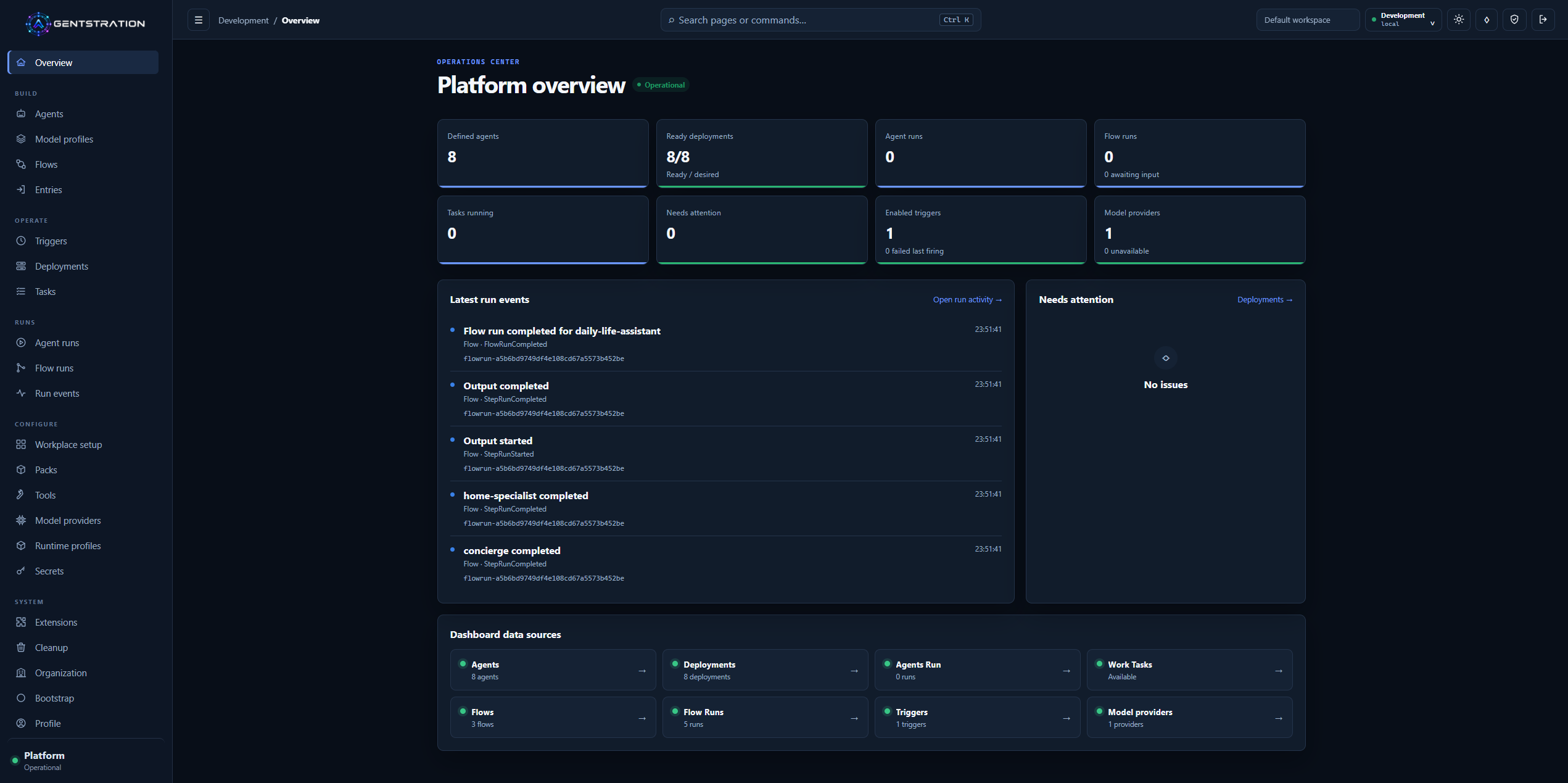
The operations overview brings platform health, recent activity, and navigation to the main operational resources into one place.
This shared starting point helps administrators answer the most practical questions first: Is the environment ready? Is work running? Did something fail? Where should I investigate next?
An executable platform foundation
Agentstration brings the resources needed for an agent solution into one governed environment. Teams can define Agents, connect them to models and runtimes, assemble Flows, publish entry points, schedule work, and inspect the resulting executions.
Offline Packs make complete examples or configurations easier to distribute. An installed Pack clearly shows what it brought into the Workspace, which bindings it uses, and which resources it manages. Teams can therefore understand the impact of an installation before changing or removing it.
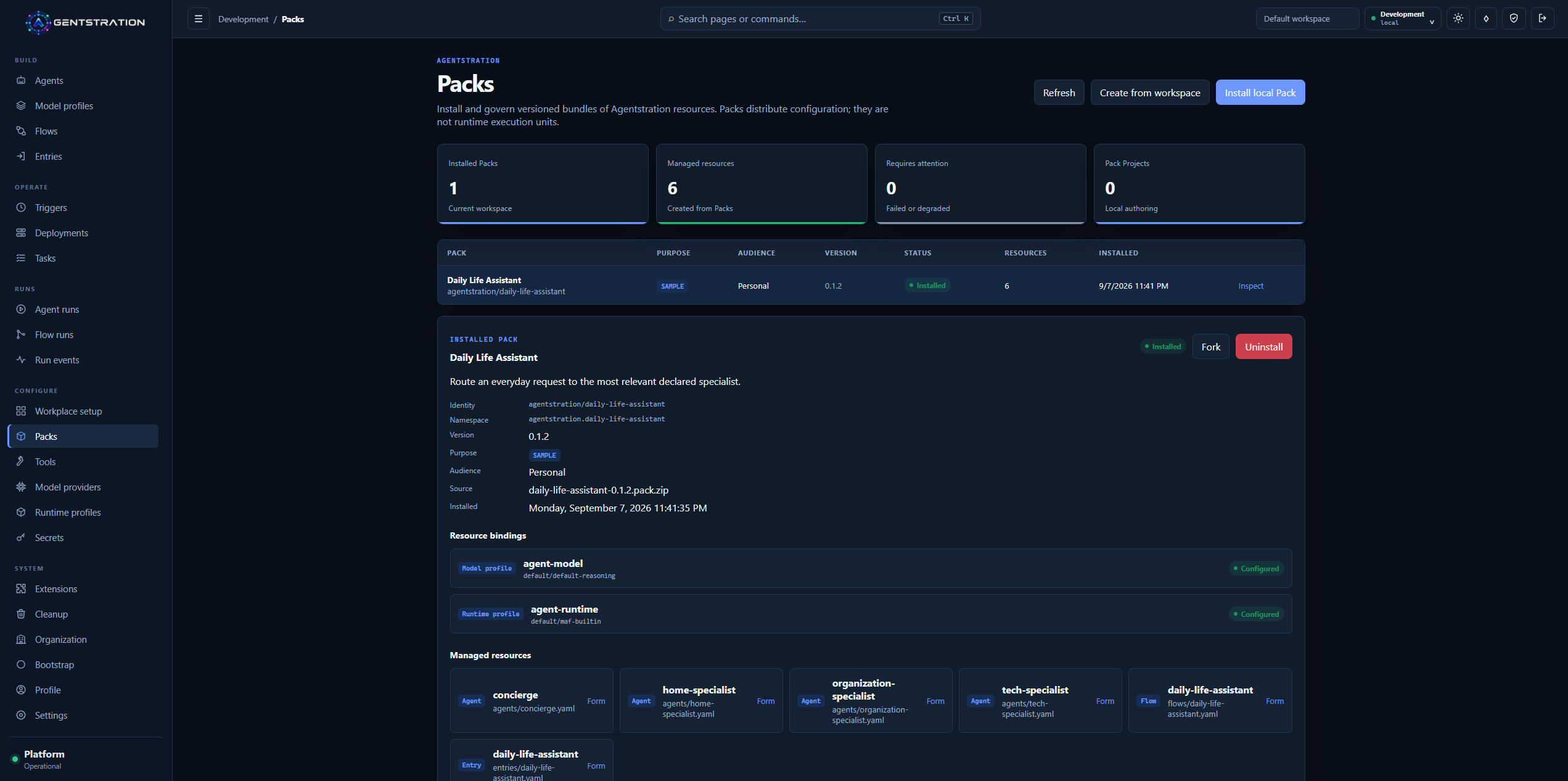
The Daily Life Assistant Pack exposes its model and runtime bindings together with the resources installed in the Workspace.
Secrets are managed separately from ordinary resources. Users can see that a credential is configured, where it is stored, and which Workspace owns it, without ever displaying its value in the Console.
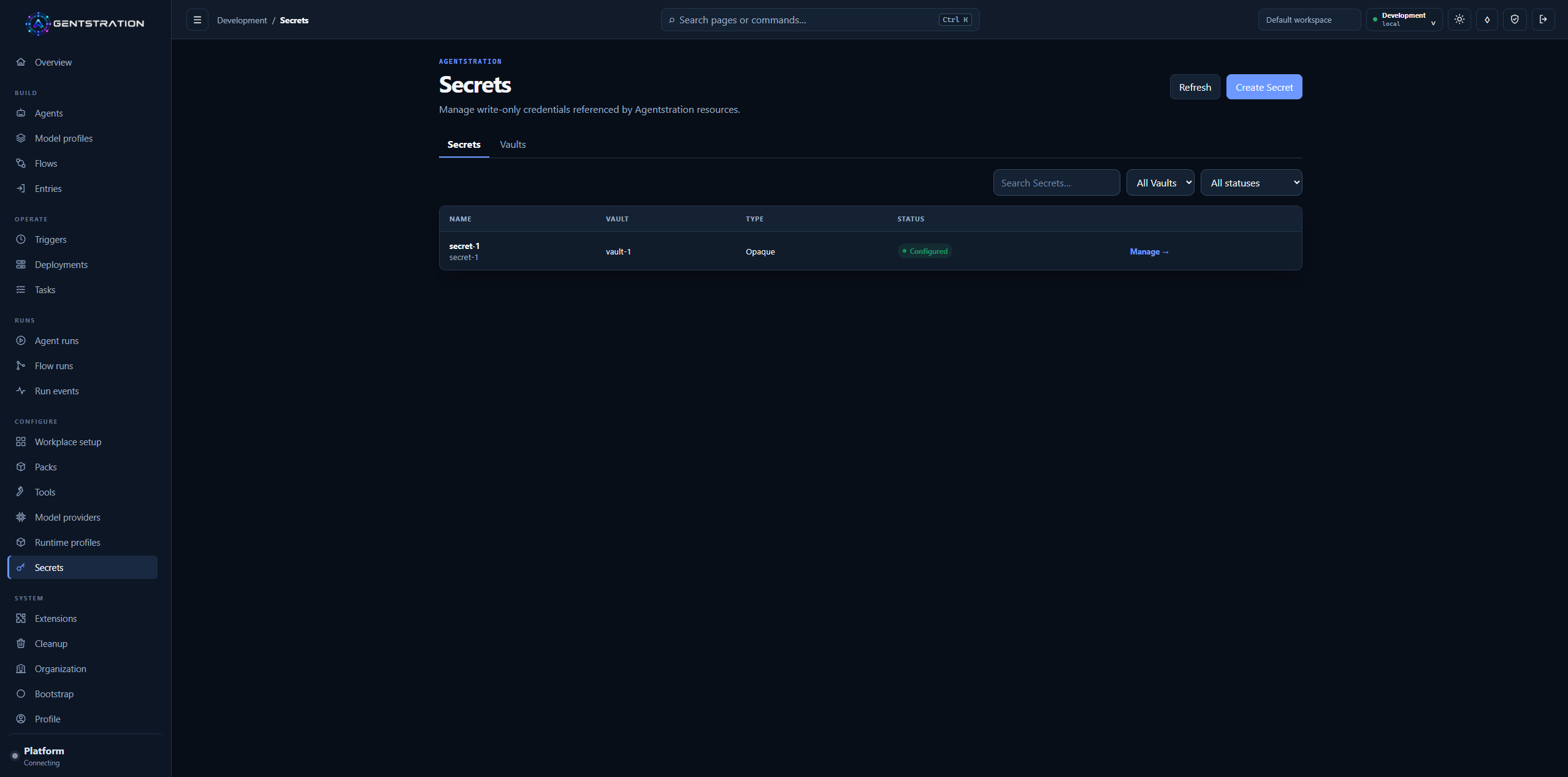
The Secrets catalog exposes governed metadata and status, never the stored secret value.
Together, these capabilities provide a usable foundation for building and running agent-based solutions without scattering their configuration across unrelated tools.
Under the hood
- The product remains a local-first modular monolith with explicit Management, Work, Runtime, and Flow boundaries; SQLite is the default store.
- Revisions and published Flow versions are immutable, while Work and Trigger history remains durable.
- Trigger scheduling uses
Quartz.NET; the local Vault encrypts values with AES-256-GCM.
Protected access for users and tools
Agentstration protects access to the capabilities and data of each Workspace. Users see the operations allowed by their role, while the services required for sign-in, first-run setup, and platform health monitoring remain available.
For scripts and command-line clients, users can create personal access tokens limited to a selected Workspace. The form makes the token name, lifetime, and permissions explicit. A token is displayed once when created and can later be revoked.
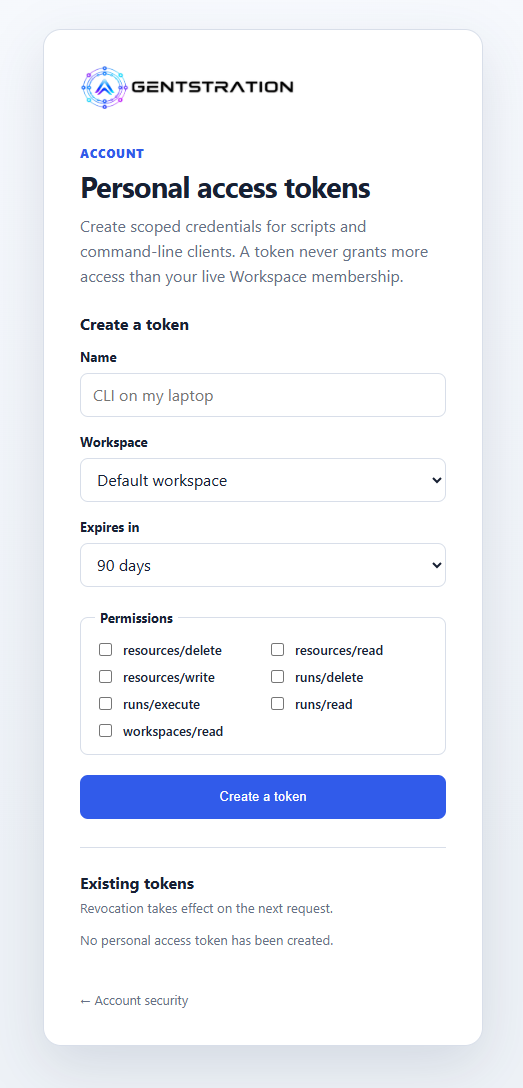
A workspace-scoped personal access token is prepared with an explicit expiry and permission selection.
The same rules therefore apply to interactive and automated use. When a role, membership, or permission changes, the associated access adapts without requiring integrations to be recreated.
Under the hood
- Only a SHA-256 digest of a personal access token is stored.
- Effective permissions combine the token allow-list with the Principal’s current Workspace role and are reevaluated on every request.
- Run, SSE, Workplace, input, cancellation, and audit paths enforce Tenant, Workspace, and Principal scope before accessing data.
Bootstrap becomes an environment workflow
Bootstrap now gives administrators a guided way to reproduce an environment. They can select one or more profiles, control their order, preview the resulting plan, and apply it only after reviewing what will be created.
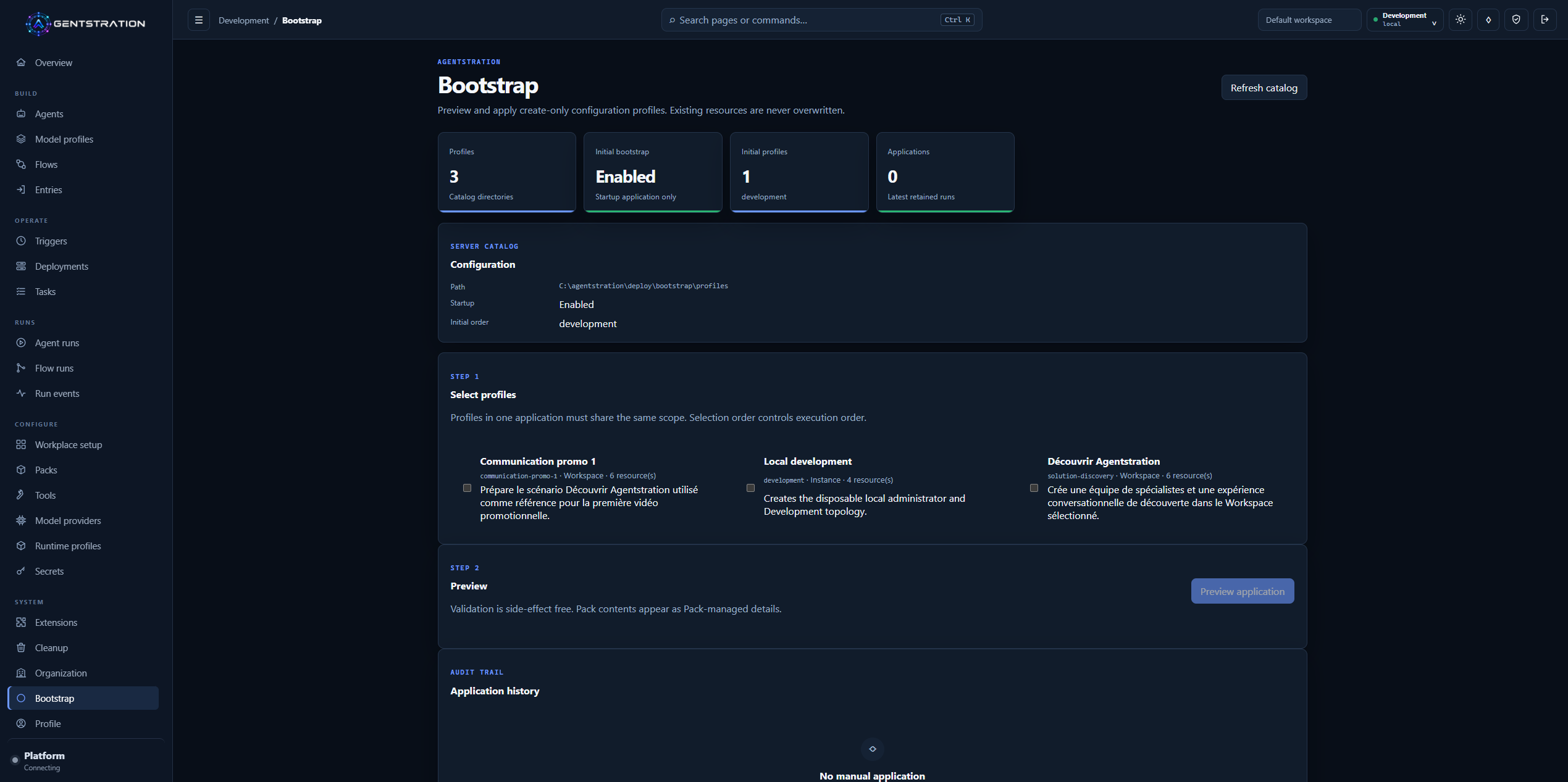
The Bootstrap catalog presents profile selection, a safe preview step, and the history of applied configurations.
A profile can prepare a complete working context rather than a single isolated record: model and runtime configuration, Agents, Flows, Entries, and local Packs can all participate. Existing resources are preserved, and application history makes it clear what happened and when.
Pack updates follow the same controlled approach. Resources already installed by a Pack keep their stable identity, locally modified resources are protected, and dependencies that require cleanup are shown instead of silently removed.
Under the hood
- Profiles target an Instance, Tenant, or Workspace and resolve typed bindings in a declared order.
- Preview is side-effect free, a digest protects the reviewed plan, and existing resources are never overwritten.
Resource configuration becomes more direct
The Console now makes complete Agent, Entry, and Flow definitions easier to inspect and edit. Users can work through structured forms while still accessing a consistently ordered Definition or YAML view when they need the full resource. Resources installed by a Pack remain protected, while local or forked definitions remain editable.
Model Providers make the connection between Agentstration and an inference service visible. From one screen, an administrator can inspect the selected extension, connection state, effective endpoint, and models currently available.
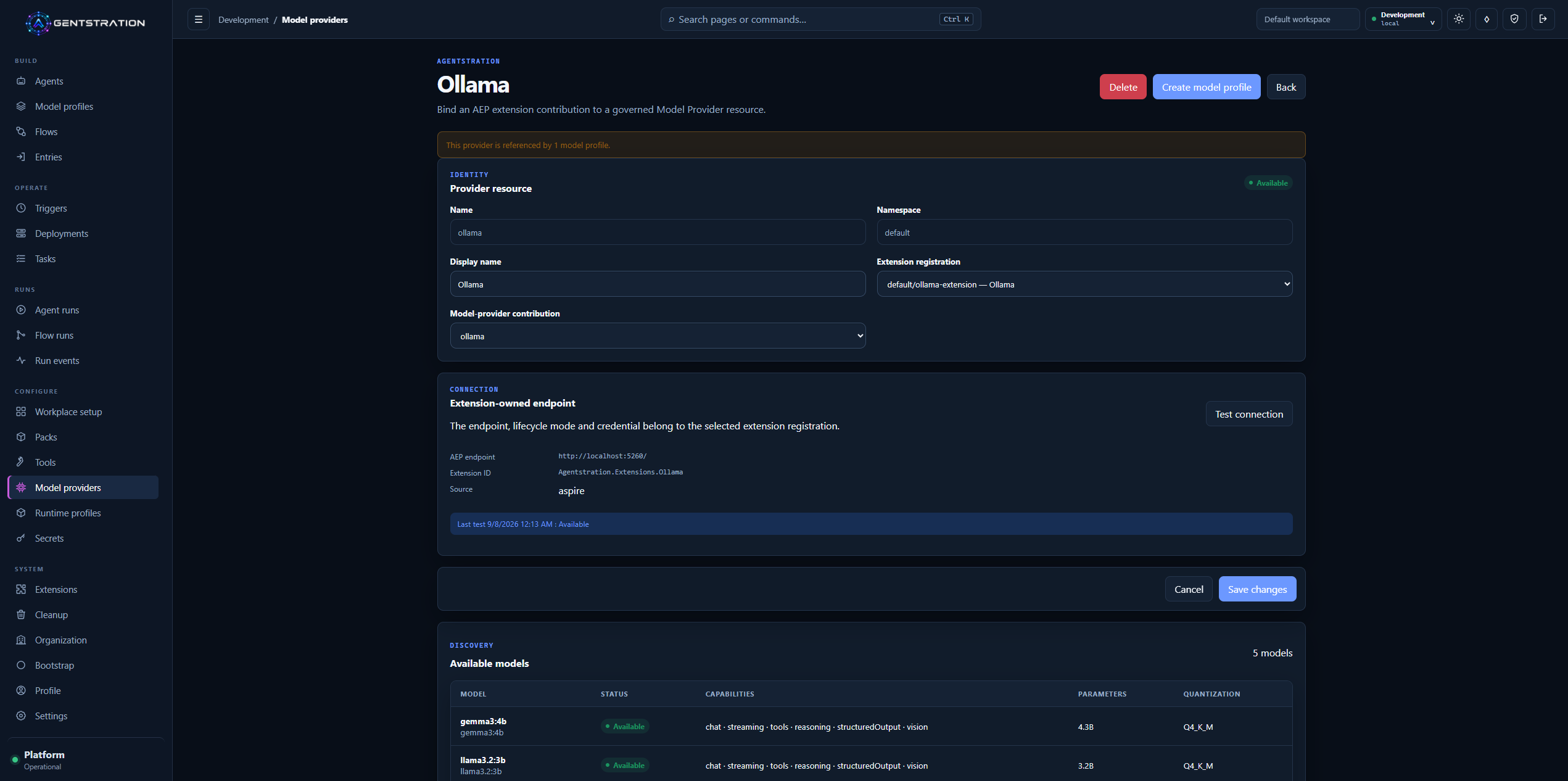
The Ollama Model Provider keeps the governed resource, connection status, and discovered catalog together.
Model Profiles turn that provider and model choice into a reusable configuration. Several Agents can use the same profile without each one carrying the details of the underlying service.
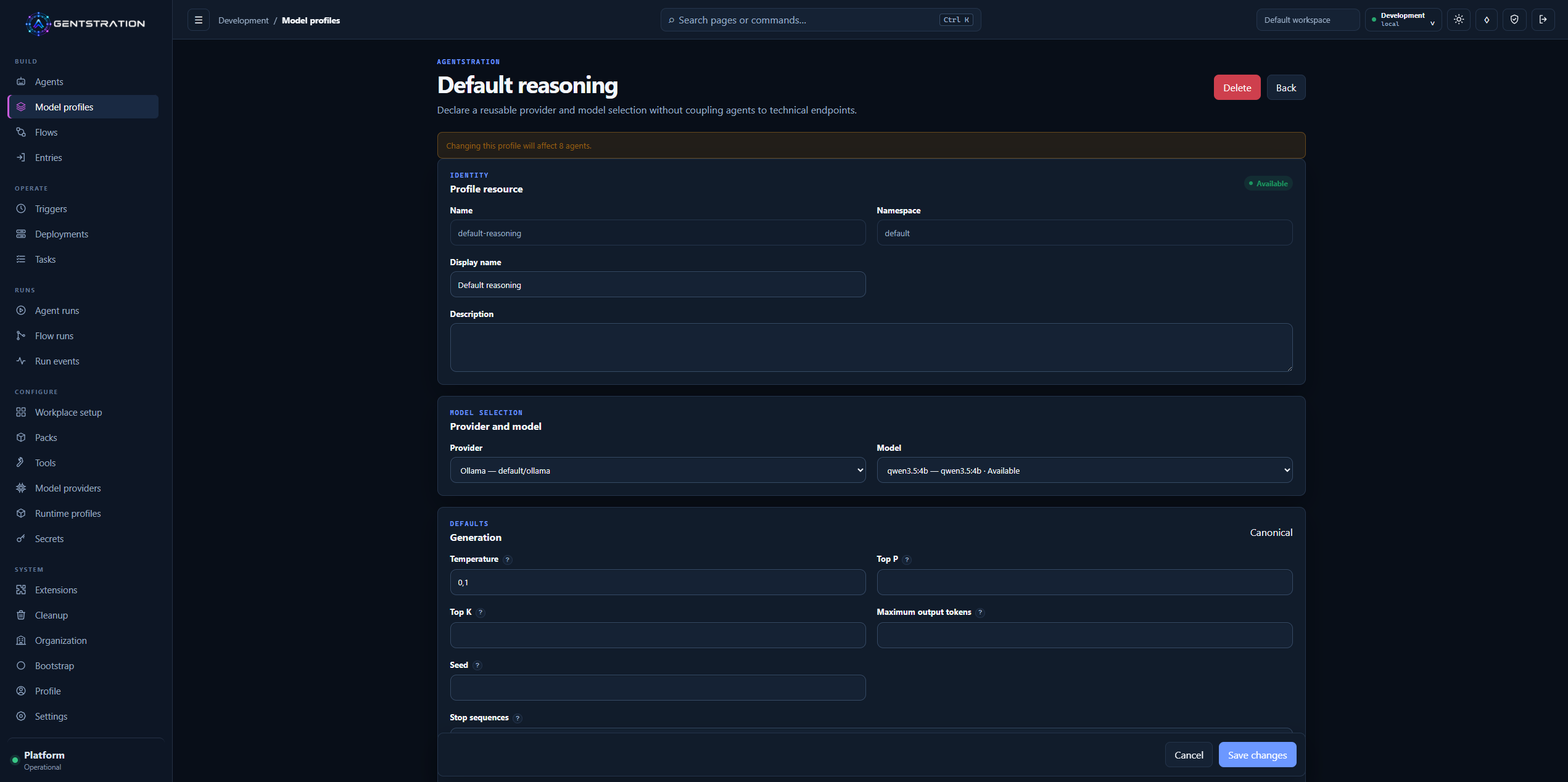
A reusable Model Profile associates the controlled Ollama provider with a discovered Qwen model and shared generation settings.
Runtime Profiles separately describe how an Agent executes. The built-in Microsoft Agent Framework profile shows its session, tool, and streaming policy as well as the Deployments that will consume any change.
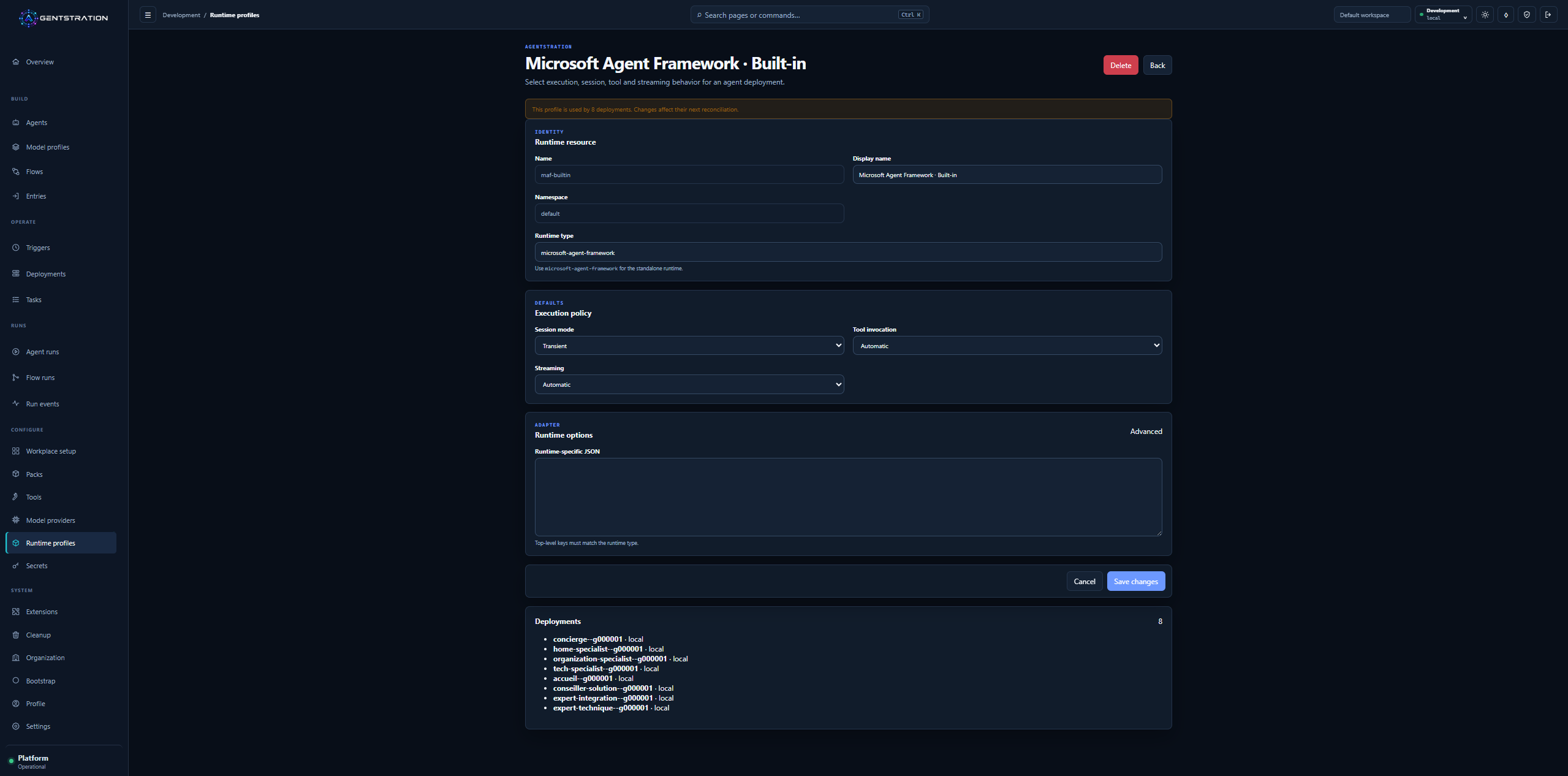
The built-in runtime profile makes execution behavior and deployment usage inspectable from the Console.
Under the hood
- A Model Provider is a governed resource bound to an AEP extension.
- Model Profiles separate portable generation defaults from provider options; Runtime Profiles isolate adapter behavior from model selection.
- Handoff instructions remain isolated per participant. Outbound AEP capture is Development-only, explicit, and disabled by default.
Flow creation, operation, and replay work together
Flow creation now brings visual design and orchestration choices into a clearer authoring experience. Authors can arrange steps, connect transitions, edit the underlying definition, validate the draft, and run it without leaving the Flow workspace.
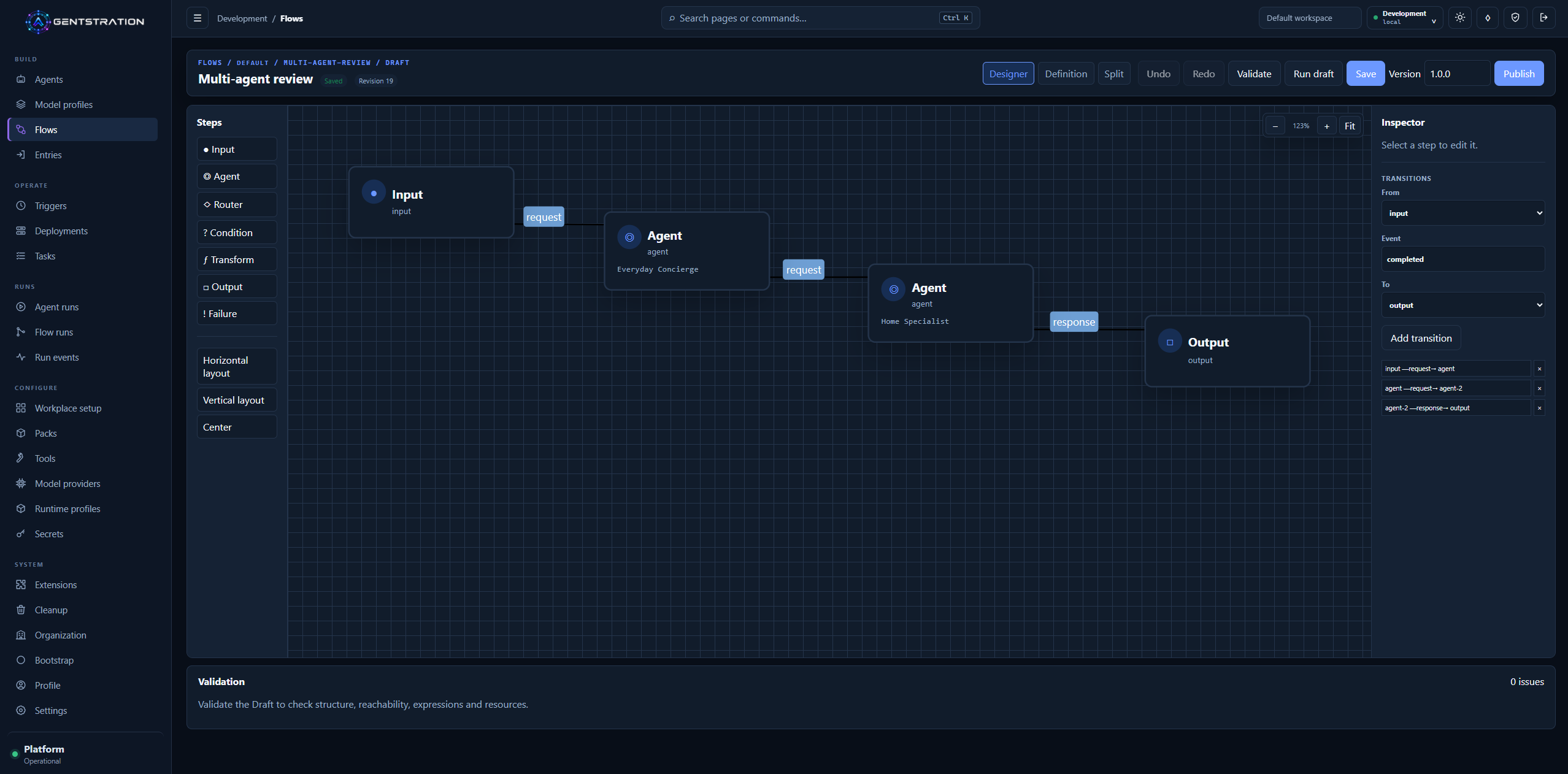
The Designer keeps graph construction, transition editing, draft execution, and validation in the same authoring surface.
Multi-agent collaboration is configured separately from the visual layout. Authors can choose sequential, concurrent, handoff, group-chat, or magnetic execution, declare who may transfer control, limit participant turns, and preview the expected topology before creating the orchestration.
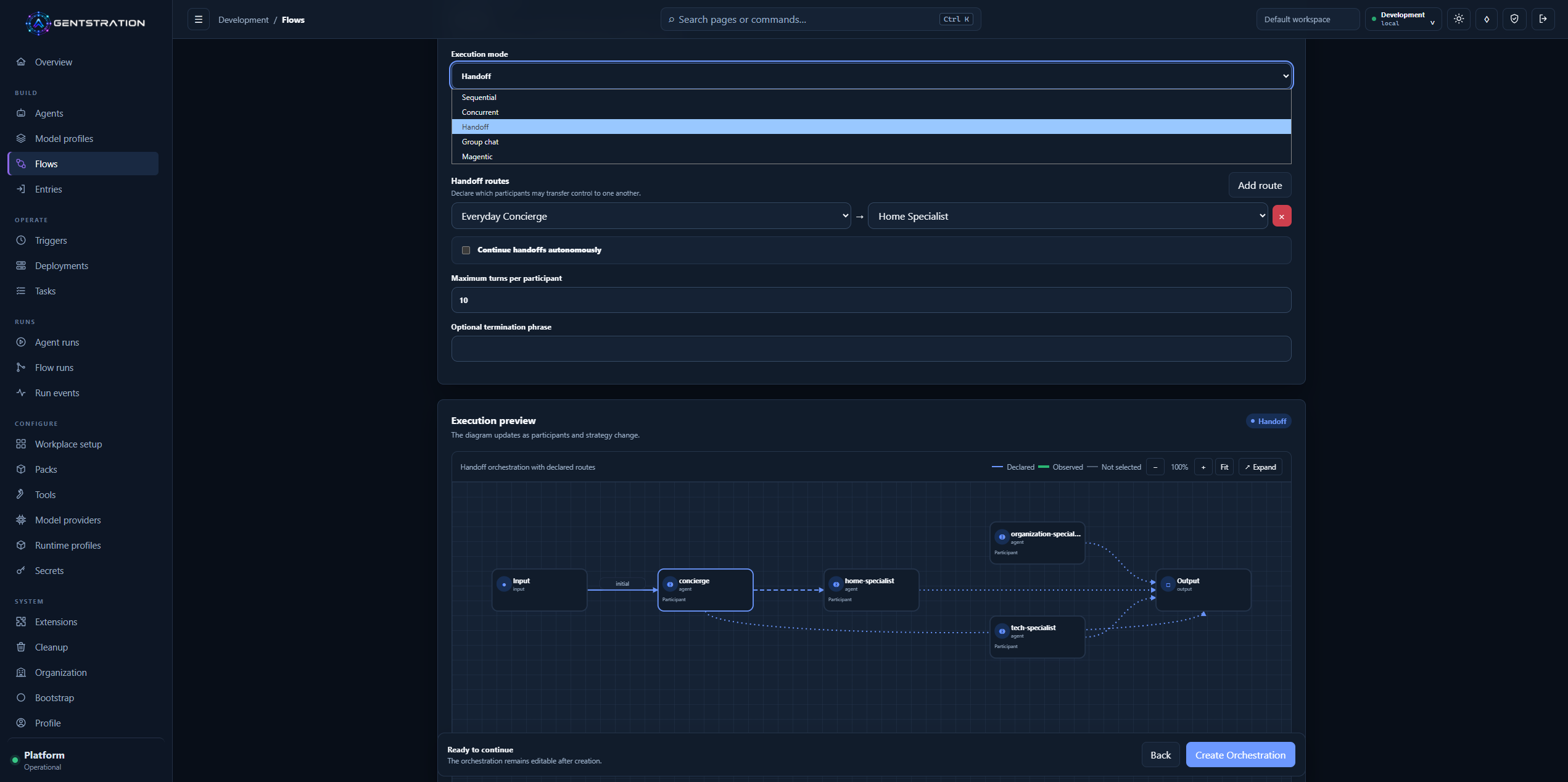
Handoff configuration makes allowed transfers, execution limits, and the expected participant topology visible before the Flow runs.
Scheduled Triggers connect recurring activity to a governed Flow. Their detail view shows when the next execution is expected, what will be submitted, which identity will be used, and what happened during previous occurrences.
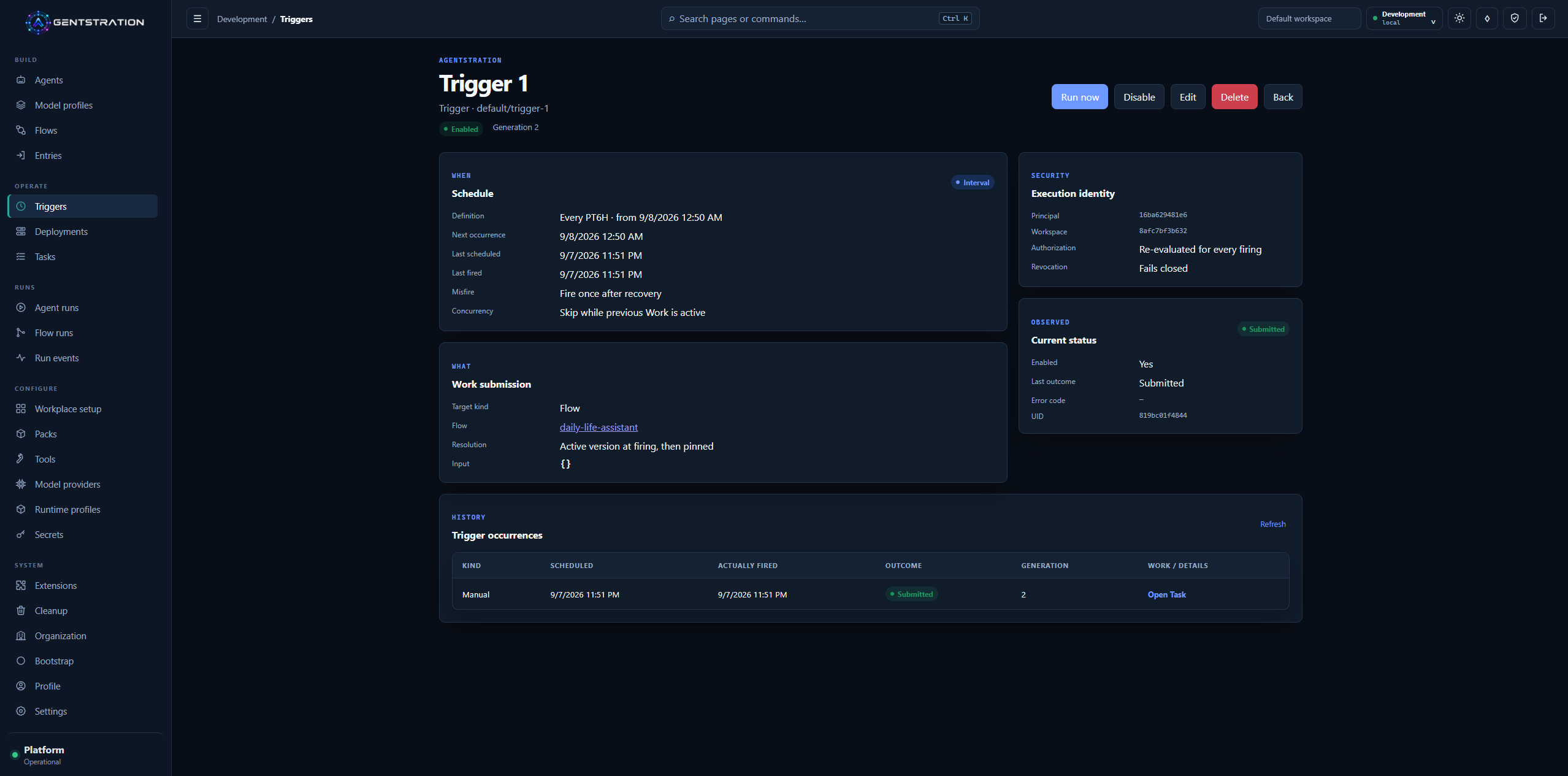
A Trigger keeps its schedule, target, current status, and occurrence history in one auditable view.
After execution, the Flow Run summary shows duration, completed steps, turns, participants, handoffs, and the observed participant path. Dedicated tabs expose activity, transfers, input and output, and raw events when deeper investigation is needed.
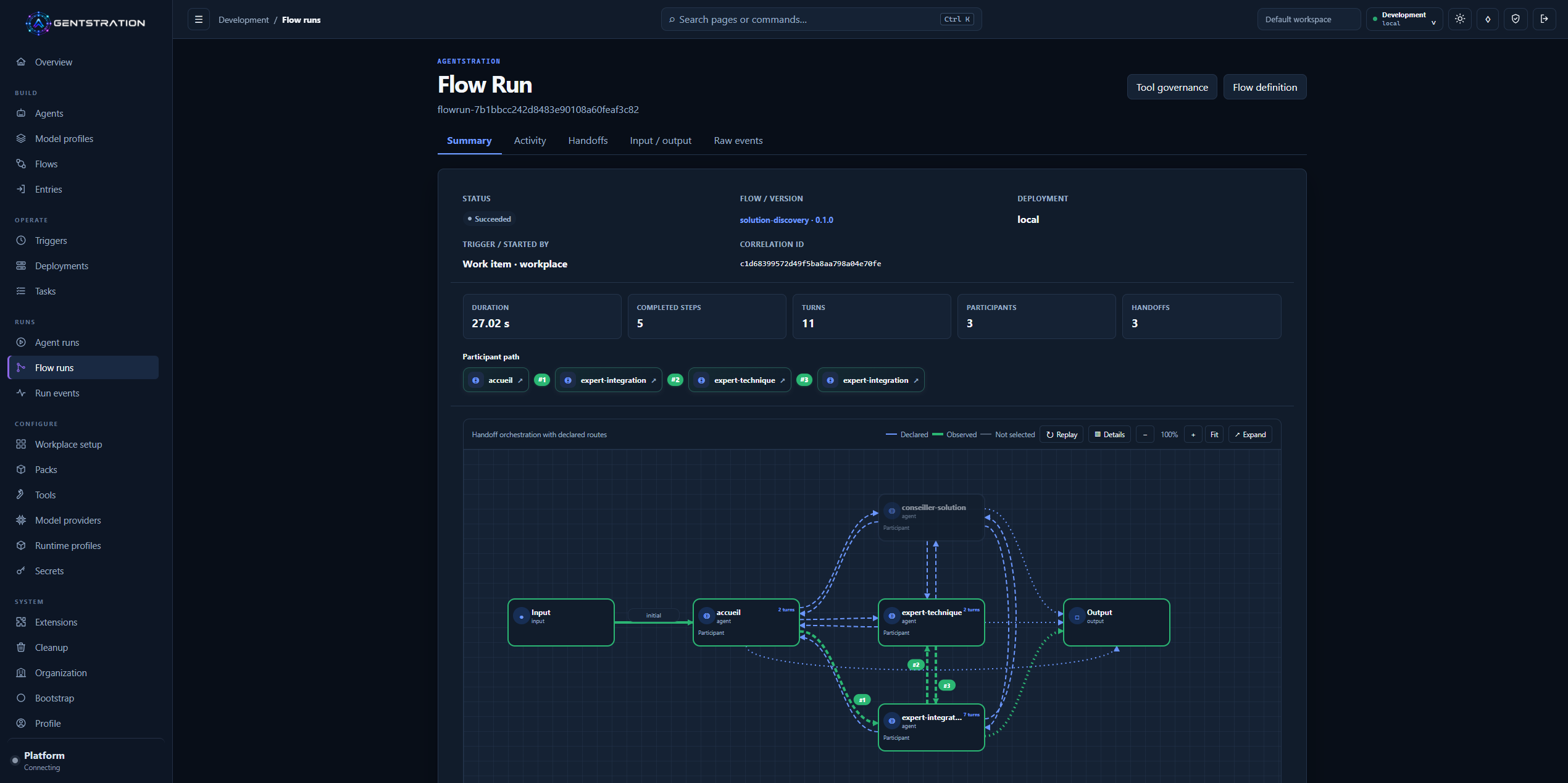
A completed handoff Flow Run shows both the declared orchestration and the route actually observed.
Completed Runs can also be replayed visually. Replay helps an operator understand the sequence that occurred without starting the Flow or calling its tools again.
Under the hood
- Published Flow versions are immutable; Runs retain events and topology snapshots.
- Replay reconstructs persisted activity without reexecuting Agents or tools.
- Stable event ordering, route layout, handoff termination, and Run scope checks support the visual and operational experience.
Workplace becomes a complete user-facing surface
Workplace turns published Entries into focused experiences for end users. The home screen now selects the expected dashboard, uses friendly organization, Workspace, and user names, and adapts its navigation and cards cleanly to smaller screens.
Administrators compose dashboards from the Console. They choose the primary Entry, decide which other Entries are visible, control their role and order, and select the icon shown to Workplace users.
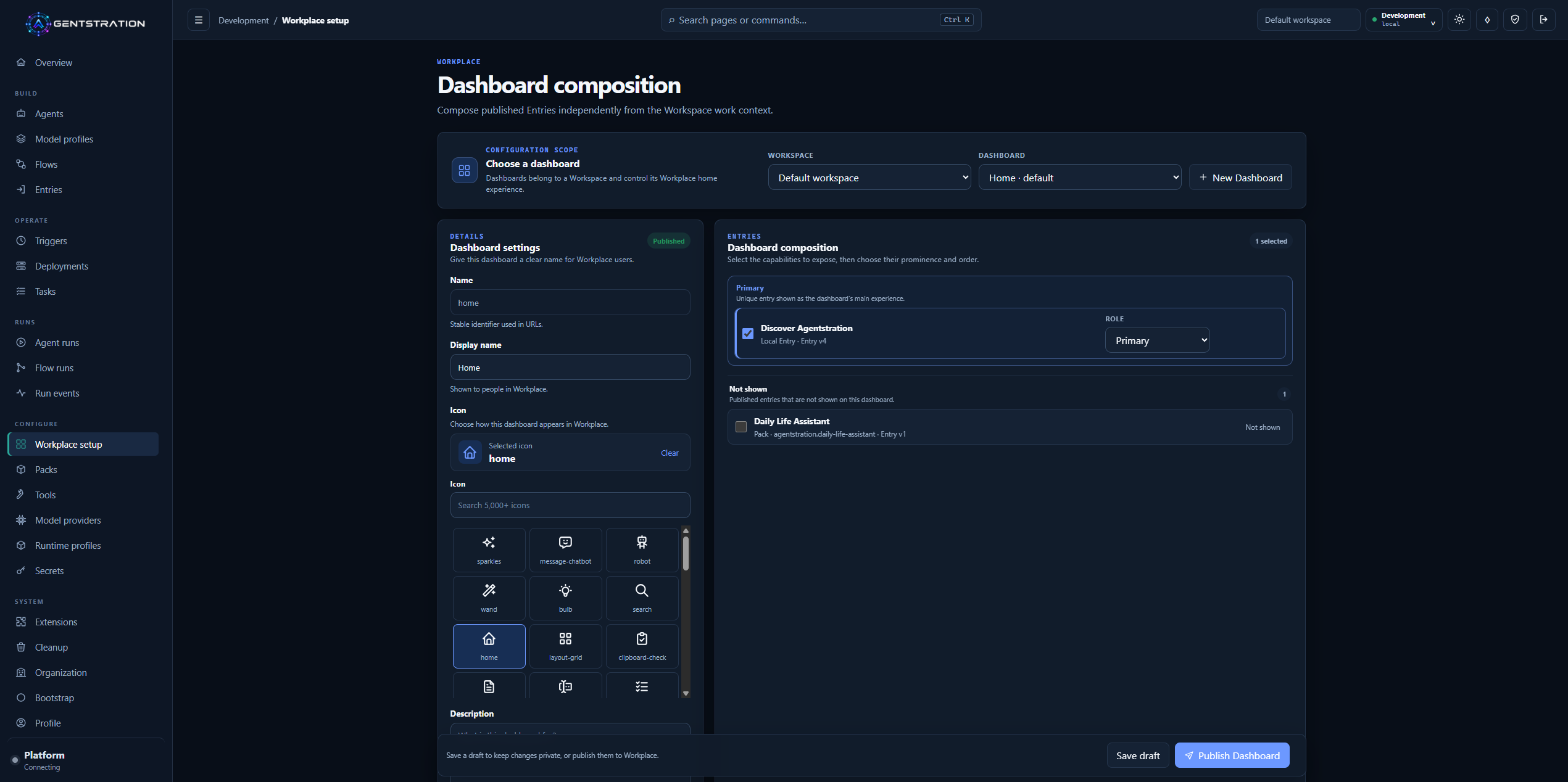
The Home dashboard publishes Discover Agentstration as its primary experience and keeps the Pack-provided Entry hidden.
On mobile, the selected experience, suggested prompts, available spaces, Principal context, and navigation remain easy to reach.
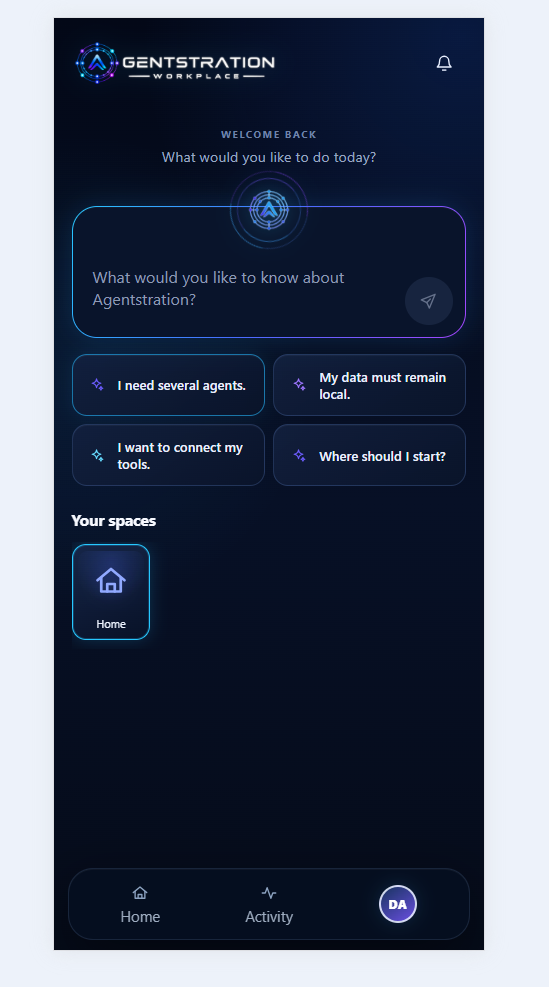
The mobile home keeps the primary prompt, four controlled suggestions, spaces, and navigation usable at touch-friendly sizes.
Conversation views give more room to the request and response while keeping Task state and execution details available when needed. Long-running work and participant handoffs produce less transient visual noise, so users can focus on the result.
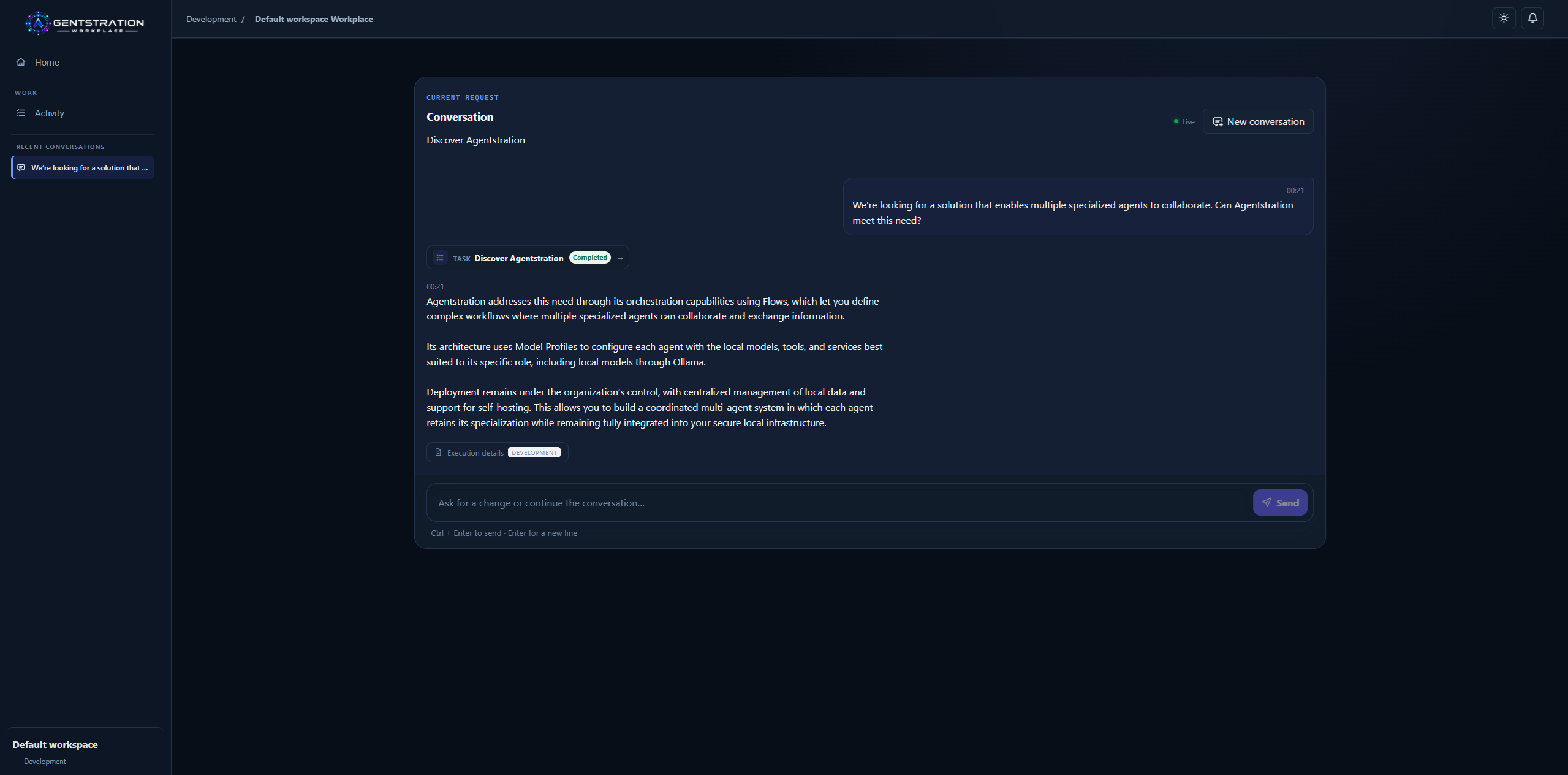
The Workplace conversation presents the controlled Discover Agentstration scenario together with its completed Task.
The same interaction remains consistent on mobile: request, response, Task state, execution details, continuation composer, and bottom navigation keep the same logical order.
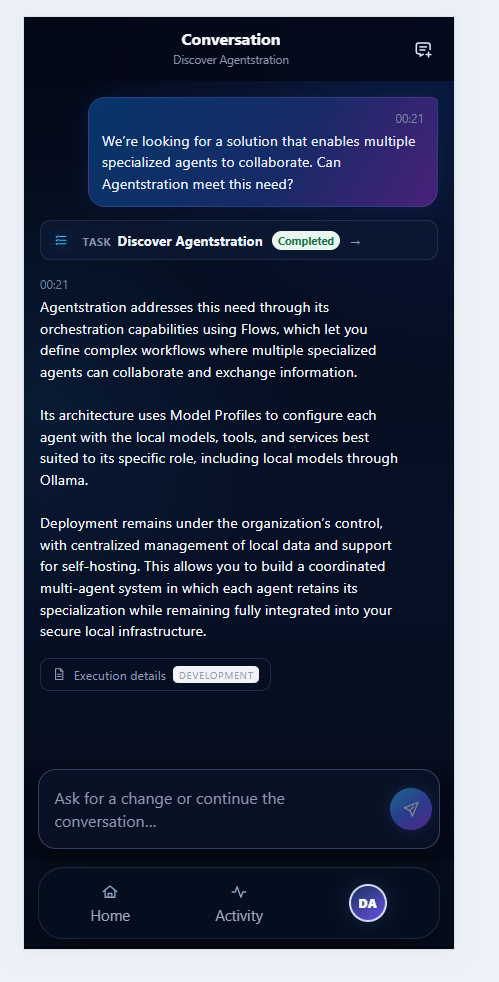
The mobile conversation is a responsive version of the same controlled desktop experience.
Under the hood
- Console and Workplace ship with English and French product catalogs and store a language preference per Principal.
- Technical identifiers and user-authored content remain unchanged across locales.
- Query-side filtering avoids repeated continuation lookups while retaining Workspace isolation.
Cleanup is guided and explicit
The Console now provides a Workspace cleanup screen for completed execution data and configuration resources. Administrators can search, select items in bulk, review dependencies, and confirm an irreversible operation before anything is removed.
Cleanup follows the order required by the resources. Successfully removed items disappear from the selection, while failures remain available for retry with a clear result. This makes cleanup useful for local evaluation environments without hiding partial failures or dependencies.
Under the hood
- Canonical delete APIs run in dependency order and require resource- and Run-deletion permissions.
- Only completed, failed, or cancelled Tasks are eligible; their Work data is removed while retained conversations are detached.
- Successful deletions remain applied if a later item fails.
More deployment choices and clearer developer feedback
Agentstration remains easy to evaluate locally with SQLite as its default storage. Teams that already operate PostgreSQL can instead choose a PostgreSQL 17 profile for the platform’s main persisted data.
The development experience also becomes clearer. API documentation is available through OpenAPI and Swagger UI, startup validates the selected storage option, and Aspire can isolate multiple Development environments so contributors can work in parallel without sharing ports or state.
Under the hood
- PostgreSQL uses separate schemas and migrations for the platform modules, with an advisory lock during startup initialization.
- File-backed Secrets, keys, Pack archives, and Work artifacts still require a coordinated backup. PostgreSQL does not add multi-instance support.
- Development exposes an OpenAPI 3.1 description covering authentication, Problem Details, uploads, downloads, and SSE.
AEP keeps extensions outside the platform process
AEP — the Agentstration Extension Protocol — lets the platform connect to external capabilities while keeping their implementation independent. Agentstration retains the stable resources and governance experience; extensions retain responsibility for communicating with their own services.
For model inference, this means an administrator can use existing Ollama, llama.cpp, or LocalAI services without embedding their provider-specific code in the main product. Agentstration discovers what an extension offers, exposes it through governed Model Providers, and leaves the external model catalog under the owner’s control.
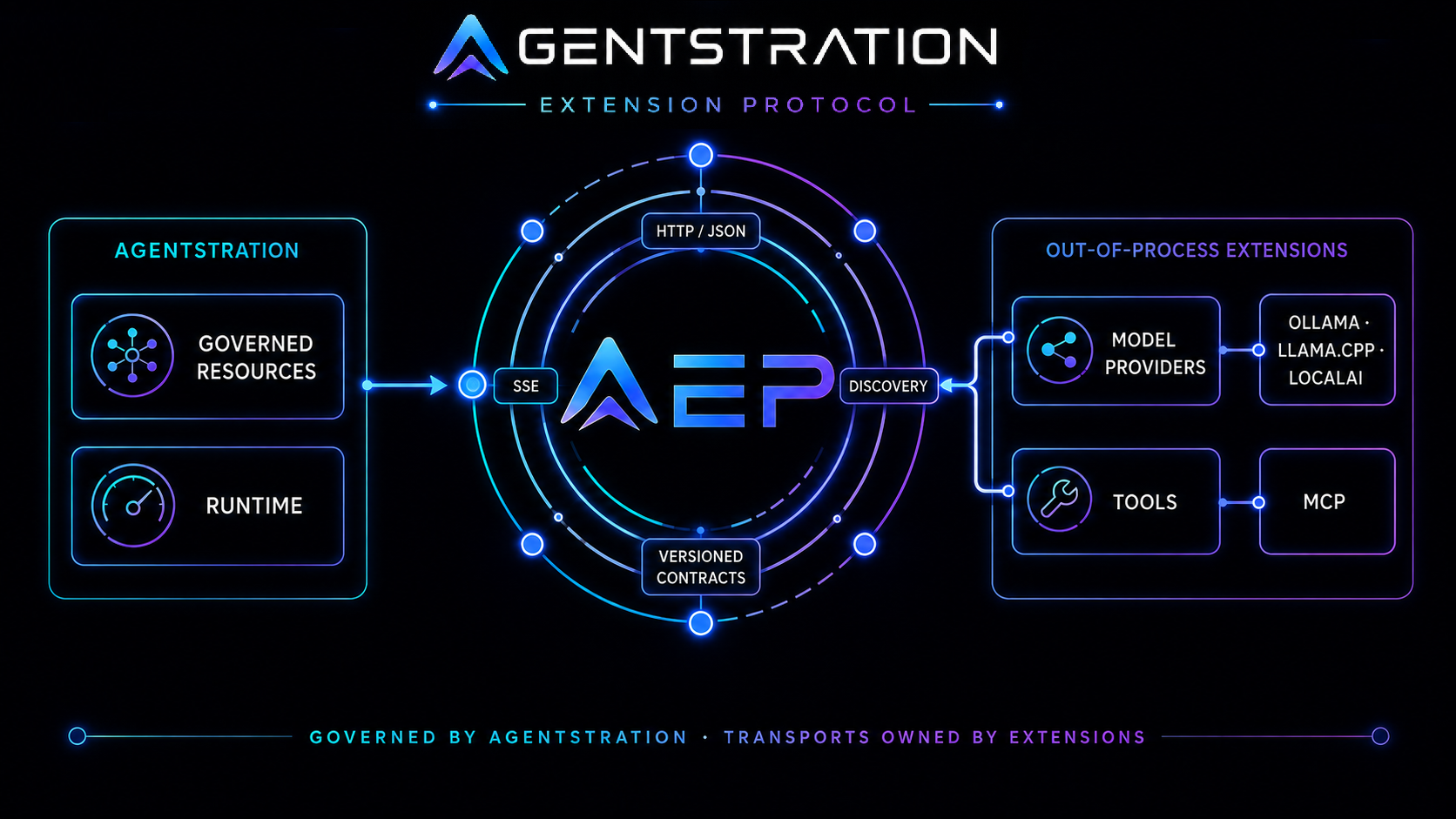
AEP separates Agentstration governance from the transports owned by independent extensions.
The Extensions Console makes that boundary visible. Administrators can inspect registered endpoints, discovery state, available contributions, versions, and the resources that depend on them.
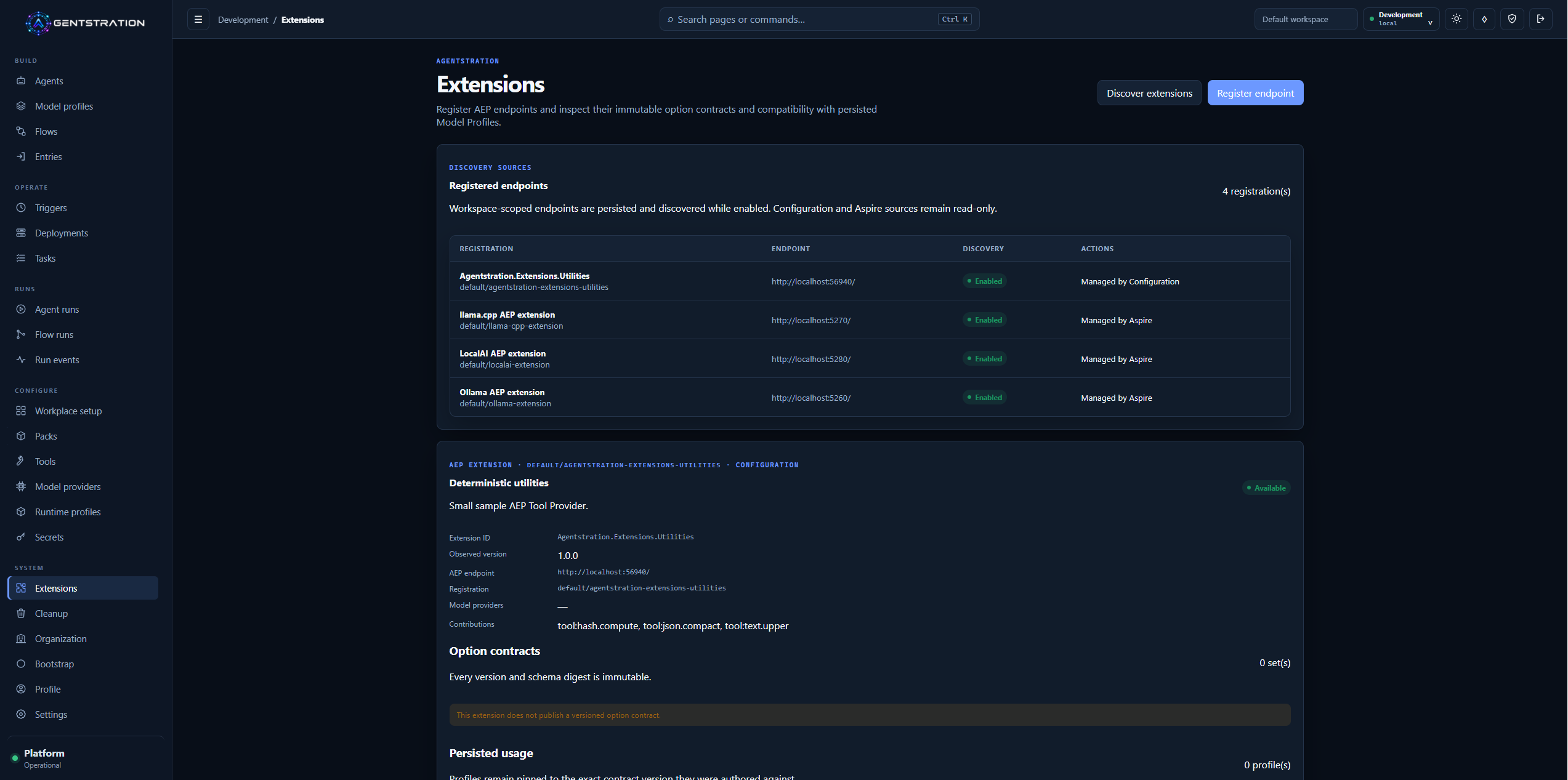
The Extensions view brings registration, discovery, contributions, and persisted usage into one governed surface.
Tool extensions follow the same principle. AEP identifies the external MCP server and tool, while Agentstration continues to control approval, authorization, and audit. Newly discovered tools remain disabled until an administrator approves them.
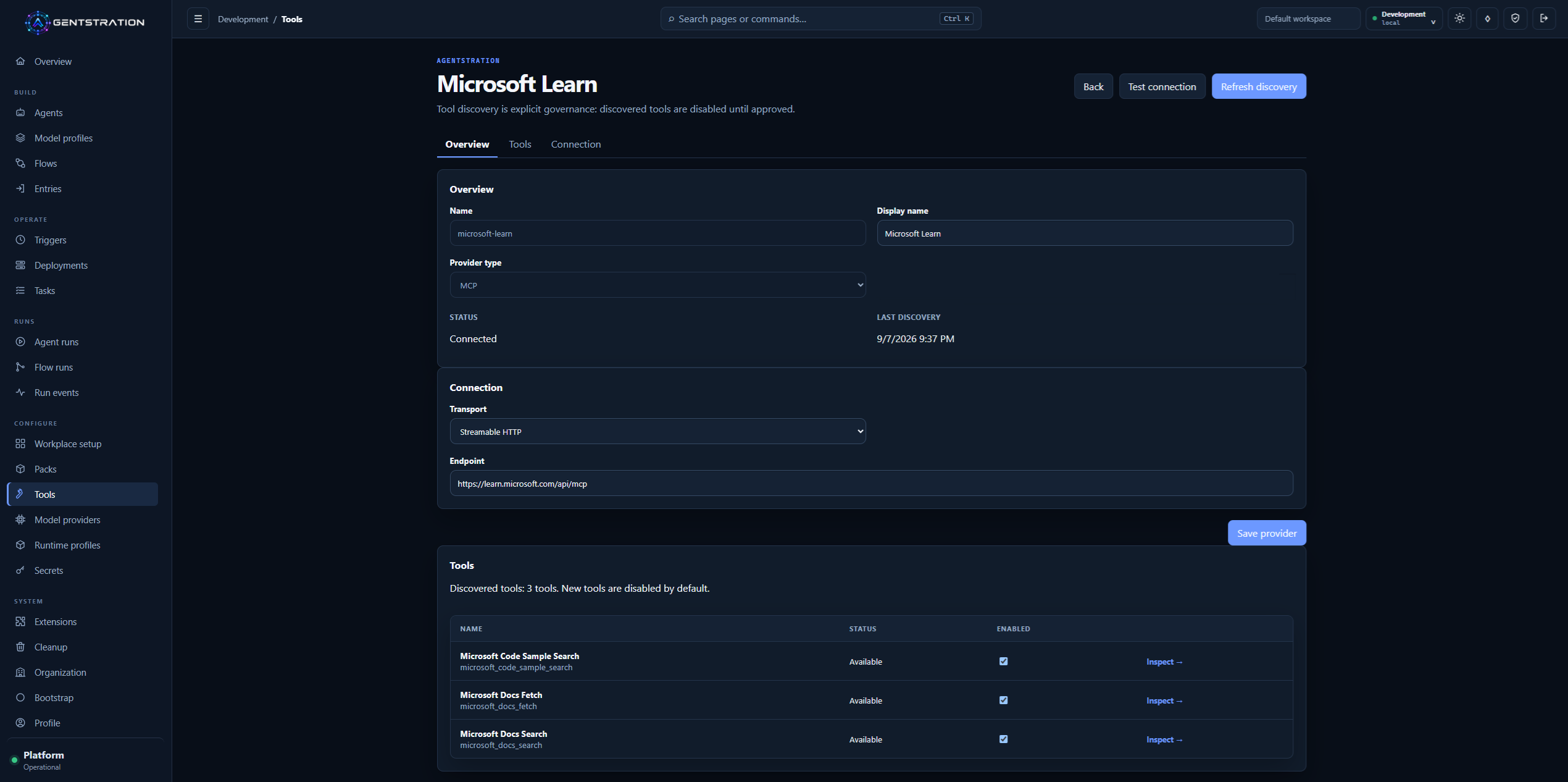
A connected MCP provider exposes explicit discovery and individual tool activation.
Under the hood
- AEP uses HTTP/JSON discovery and SSE chat streaming.
- Model Providers bind to named extension contributions, Model Profiles can pin versioned contracts, and the runtime consumes
IChatClient.- Discovery is explicit and never scans the local network. MCP remains authoritative for tool schemas and invocation, with Agentstration guards and durable audit.
Read the alpha label literally
This public prerelease is intended for evaluation and feedback. It changes some foundational areas, so important evaluation data should be backed up and the release should be started with fresh storage. Moving between SQLite and PostgreSQL also does not transfer existing data.
The GitHub prerelease provides server and standalone Workplace ZIPs for Windows, Linux, and macOS, plus container images for AMD64 and ARM64. For checksums, startup commands, compatibility details, and the complete list of known limitations, use the published sources:
- GitHub Release and artifacts
- Technical release notes at the tag
- Current capabilities at the tag
- Declarative bootstrap reference
- Documentation
- Source repository
- Agentstration YouTube channel
- Agentstration Newsletter
- Agentstration website
If you try this alpha, practical feedback is especially useful: which environment is difficult to reproduce, which authorization boundary is unclear, and which Run details are still missing when you investigate an orchestration?
Under the hood
- There is no supported in-place migration from an earlier alpha; older stores may contain incompatible data shapes.
- Flow and Tool execution remains at-least-once.
- ZIPs require the .NET 10
ASP.NET Core Runtime. The release container tag is immutable,alphais a moving channel, and nolatesttag is published.